Treat every CSV file feeding an SAP import as a validated artifact, not a spreadsheet export. That means running automated file-level checks before upload, writing explicit CSV test cases into OQ and PQ protocols, and retaining raw and corrected files for traceability. GAMP 5 and FDA 21 CFR Part 11 are the regulatory anchors that make this non-negotiable in GxP environments.
TL;DR:
>
- Automated CSV validation tools should be integrated into the import process to detect encoding problems, BOM markers, null bytes, and embedded HTML before reaching SAP.
- Validation protocols require documenting specific CSV properties, including header uniqueness, proper delimiters, field formats, and data types, with detailed error reporting at row level.
- Validation efforts must include checks at source, during data transformation, and at import, with version control and detailed audit trails for all file modifications and requalification triggers.
- Manual review remains necessary for edge cases like legacy encodings and unusual content, but automation significantly reduces time spent on routine checks and evidence generation.
- Incorporating these validation practices ensures compliance with GxP regulations and regulatory standards like GAMP 5 and FDA 21 CFR Part 11.
Table of Contents
- What SAP Validation CSV Actually Covers
- Key Technical Components to Validate in a CSV
- Practical CSV Checks You Can Script Into OQ and PQ
- SAP-Specific Tooling for CSV Pre-Import Checks
- Mapping CSV Work Into the Validation Lifecycle
- Best Practices and Pitfalls to Watch For
- Where Automation Fits Without Cutting Corners
- A Validation Lead's Take on Automating CSV Checks
- How Qualitum Automates SAP CSV Validation
- Sources
- FAQ
What SAP Validation CSV Actually Covers
CSV in this context refers to two overlapping things, and mixing them up creates real confusion during audits: Computer System Validation (the discipline) and the comma-separated file format moving data into SAP. This article addresses both, because file-based imports remain one of the most common validation gaps in SAP environments even as vendors push toward Computer Software Assurance (CSA), a lighter, risk-based evolution of traditional CSV that our CSA vs CSV breakdown covers in more depth.
File-based CSV imports still matter because SAP modules rely on them constantly: SuccessFactors employee data loads, Integration Center batch jobs, SAP Data Intelligence pipelines, and S/4HANA migration cutovers all move data through flat files before they ever touch a validated database table.
A defensible validation package for these imports typically includes:
- A User Requirements Specification (URS) defining what the CSV must contain and how it maps to SAP fields
- A Functional Specification (FS) describing transformation logic and error handling
- Design Qualification (DQ), Installation Qualification (IQ), Operational Qualification (OQ), and Performance Qualification (PQ) protocols
- A traceability matrix linking each requirement to a test case and its evidence
Key Technical Components to Validate in a CSV
Most SAP import failures trace back to a small set of technical properties. Test each one deliberately rather than assuming your source system exports clean files.
- Encoding and byte order marks. Confirm the file uses UTF-8 or the encoding SAP expects, and check for a stray byte order mark (BOM) or embedded null bytes, both of which can silently corrupt the first field or trigger a full import rejection.
- Headers and delimiters. Verify column headers are unique, non-blank, and delimiter-consistent throughout the file. A duplicate header or a comma buried inside an unquoted text field will misalign every column that follows.
- Field lengths and escaping. Check for multi-line text fields, inconsistent quoting, and leading zeros that numeric parsers tend to strip from identifiers like material numbers or cost centers.
- Data-type conformity. Dates, currency values, and numeric fields must match the format SAP's import logic expects, since SAP's data analysis step infers types from sample rows and can abort the whole upload when it hits an unexpected type mid-file.
Practical CSV Checks You Can Script Into OQ and PQ
Turning these technical properties into test scripts is where validation teams either save weeks or lose them. Build your checks at three levels, and record every failure with enough detail to trace it back to a specific row.
Row-level checks catch the errors that break individual records:
- Column count mismatches against the header row
- Empty values in key fields (employee ID, material number, batch number)
- Duplicate or missing headers
Content checks catch the errors that corrupt data quietly instead of failing loudly:
- Embedded HTML markup or unescaped ampersands and quotes
- Control characters or null bytes hiding inside text fields
- Commas inside unquoted string values
File-level checks catch the errors that stop the import before a single row is read: wrong encoding, mixed line endings (a Windows file with a stray Unix line ending is a classic cause of one broken row in an otherwise clean import), incorrect delimiter, or a file that exceeds SAP's size or metadata limits.
Every failure needs a row identifier, an error category, and a remediation note in your test evidence. Auditors will ask how a specific bad record was caught, not just whether the import "worked."
Pro Tip: Log the exact row number and error type for every rejected record, not just a summary count. A protocol that says "47 rows failed" without row-level detail will not survive a data integrity audit.
SAP-Specific Tooling for CSV Pre-Import Checks
You do not have to build every check from scratch. SAP has published tooling that handles the repetitive detection work, and knowing when to lean on it versus writing bespoke scripts saves real authoring time.
- SAP's CSV Validator App, now open source, detects encoding problems, BOM markers, null bytes, and embedded HTML tags, and it includes auto-correction features that fix many common issues before a file ever reaches SAP.
- The underlying SAP csv-validator GitHub repository documents the full list of errors and warnings it raises, which is useful evidence to cite directly in your test scripts.
- SuccessFactors and Integration Center run their own pre-validation, checking initial field results before queuing valid records for import, while SAP Data Intelligence enforces its own metadata and field length rules that can reject an otherwise valid-looking file.
The smart move is incorporating one of these validators into a CI pipeline or pre-processing step, so bad files never reach SAP's own validation layer at all. Our CSV automation roadmap walks through what that pipeline typically looks like.
Mapping CSV Work Into the Validation Lifecycle
CSV import validation doesn't sit outside your GxP program. It sits inside it, scoped by risk the same way any other computerized system function would be.
- Apply GAMP 5's risk-based approach to decide depth: a CSV touching batch release data warrants far more test rigor than one loading vendor contact information.
- Document the same core set regulators expect for any GxP-critical function: URS, FS, DQ, IQ/OQ/PQ, a traceability matrix, and the SOPs governing who can approve a corrected file for re-upload.
- Preserve ALCOA+ evidence: audit trails showing who touched the file, when, and why, plus retention of both the original raw file and the corrected version with a documented rationale for every change. The FDA's guidance on computerized systems treats this data integrity trail as a baseline expectation, not an optional extra.
- Flag requalification triggers explicitly. An S/4HANA migration, a change to the source system's export format, or a new field mapping should all reopen the CSV validation package rather than quietly extend the old one.
Version control matters more than most teams give it credit for. When a CSV template changes, you need to know which validated version was in production on any given date, and continuous alignment between SAP configuration and GxP requirements depends on that traceability holding up over years, not just through go-live.
Best Practices and Pitfalls to Watch For
The teams that handle CSV validation well treat it as a three-layer problem: validate at the source before export, validate again in transit (during transformation or staging), and validate a final time at the point of import into SAP. Skipping the middle layer is the most common shortcut, and it's usually where silent corruption sneaks through.
- Never overwrite or delete the original file once a discrepancy is found. Store the corrected export alongside it, with a written rationale for each change.
- Automate every repeatable check, but route any fix to the data itself through formal change control, not an ad hoc edit.
- Test explicitly for the failures that "should never happen": non-UTF-8 encoding from a legacy source system, a BOM inserted by Excel on save, and field values that exceed the length SAP's metadata rules allow.
Pro Tip: Keep a standing library of known-bad test files, one that intentionally contains a BOM, one with mixed line endings, one with an oversized field, so every new CSV import project runs the same regression set instead of rediscovering the same bugs.
Where Automation Fits Without Cutting Corners
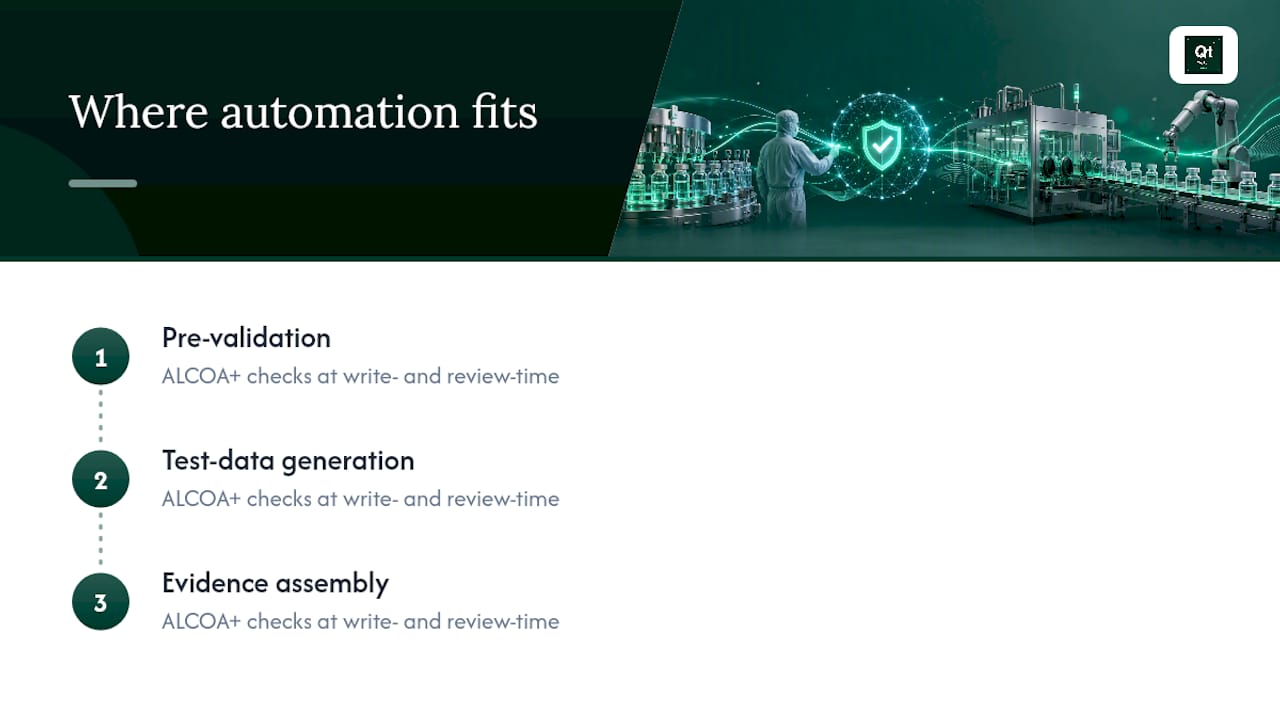
Manually authoring CSV test evidence for every import scenario eats weeks that most validation teams don't have. Agentic automation platforms can enforce ALCOA+ checks at write-time and again at review-time, catching a missing audit trail entry or an unattributable change before it ever reaches a QA reviewer.
That kind of gain matters most in pre-validation, test-data generation, and evidence assembly, the three stages where CSV projects historically bleed the most authoring hours.
A Validation Lead's Take on Automating CSV Checks
Automate anything high-volume, repeated, or high-regulatory-risk, encoding checks, header validation, field-length rules. Keep manual review for genuine exceptions, like a one-off legacy data migration. Schedule CSV validation as its own sprint task, and wire the checks into your CI/CD or change-control system so every file gets tested the same way, every time.
— Matt
How Qualitum Automates SAP CSV Validation
The manual path to CSV validation evidence, screenshots, hand-written test scripts, chasing down approval signatures, is exactly where most audit findings originate. An agentic platform can author that evidence directly, with every record ALCOA+ checked at write-time and review-time, so the traceability matrix and test protocols exist as a byproduct of the work instead of a separate scramble before an inspection.

That matters most for teams running frequent SAP imports, SuccessFactors data loads, S/4HANA migration waves, Integration Center batch jobs, where the same CSV checks repeat across dozens of cycles a year. Qualitum's Validate·AI capability applies those checks consistently and assembles the evidence a reviewer or auditor actually needs to see, without the authoring burden falling on your validation engineers.
If you're not sure where your current CSV validation package has gaps, request a free validation gap report or book a working session to walk through a specific SAP import scenario with the Qualitum team.
Sources
FAQ
What Is CSV in Validation?
In this context, CSV can mean either Computer System Validation, the regulatory discipline for verifying a system works as intended, or the comma-separated value file format used to import data into systems like SAP. Both meanings matter for SAP projects, since CSV files often require their own validated test evidence.
What Is OB28 Used For in SAP?
OB28 is an SAP transaction code used to define and check tolerance limits for goods receipt and invoice receipt postings within Financial Accounting. It is unrelated to CSV file import validation but sometimes appears in S/4HANA configuration discussions.
What Is GGB0 in SAP?
GGB0 is an SAP transaction code used to maintain validation, substitution, and rule definitions within the Financial Accounting and Controlling modules. Like OB28, it belongs to SAP's configuration layer rather than CSV import testing.
What Is GAMP 5 Validation?
GAMP 5 is a risk-based framework, published by ISPE, for validating computerized systems in regulated industries. It guides teams toward scaling test rigor to the actual risk a system or data flow poses, rather than applying identical depth to every CSV import regardless of impact.
Does Automation Replace Manual CSV Review in SAP Validation?
No. Automated tools like SAP's CSV Validator App and platforms like Qualitum handle repeatable, high-volume checks, but genuine exceptions and edge-case content, like embedded HTML or unusual legacy encodings, still warrant manual review before sign-off.
Recommended
- CSA vs CSV for Validation Teams: What QA Needs to Know
- CSV Automation for Validation Teams: A CSA-Aligned Roadmap
- ALCOA+ Examples Every Pharma Team Should Know
- Change Impact Assessment for CSV/CSA: A Validation Lead's Guide
FAQ
What Is CSV in Validation?
In this context, CSV can mean either Computer System Validation, the regulatory discipline for verifying a system works as intended, or the comma-separated value file format used to import data into systems like SAP. Both meanings matter for SAP projects, since CSV files often require their own validated test evidence.
What Is OB28 Used For in SAP?
OB28 is an SAP transaction code used to define and check tolerance limits for goods receipt and invoice receipt postings within Financial Accounting. It is unrelated to CSV file import validation but sometimes appears in S/4HANA configuration discussions.
What Is GGB0 in SAP?
GGB0 is an SAP transaction code used to maintain validation, substitution, and rule definitions within the Financial Accounting and Controlling modules. Like OB28, it belongs to SAP's configuration layer rather than CSV import testing.
What Is GAMP 5 Validation?
GAMP 5 is a risk-based framework, published by ISPE, for validating computerized systems in regulated industries. It guides teams toward scaling test rigor to the actual risk a system or data flow poses, rather than applying identical depth to every CSV import regardless of impact.
Does Automation Replace Manual CSV Review in SAP Validation?
No. Automated tools like SAP's CSV Validator App and platforms like Qualitum handle repeatable, high-volume checks, but genuine exceptions and edge-case content, like embedded HTML or unusual legacy encodings, still warrant manual review before sign-off.