21 CFR Part 11 compliance requires four enforceable controls on every regulated electronic system: a validated system, a tamper-evident audit trail, uniquely bound electronic signatures, and strict access controls. Start by mapping your predicate-rule records to the systems that create, modify, or archive them, then confirm whether each system is closed or open, and build a risk-tiered validation plan from there.
Your project kickoff checklist:
- Identify predicate-rule records: List every record type required by 21 CFR 211, 820, or 312 that your organization maintains electronically (batch records, DHRs, DMRs, clinical trial documents).
- Map records to systems: For each record type, name the system(s) that create, modify, store, or transmit it.
- Classify each system: Determine whether it is a closed or open system under §11.10 or §11.30.
- Assess audit-trail architecture: Confirm logs are append-only, server-timestamped, and stored separately from modifiable application tables.
- Assign ownership: Name a validation lead, a QA reviewer, and an IT/DevOps owner for each in-scope system.
- Start a risk-tiered validation plan: Apply Computer Software Assurance (CSA) principles to prioritize scripted testing for high-risk features and lighter methods elsewhere.
Table of Contents
- When does Part 11 compliance apply to your systems?
- Core Part 11 requirements: the controls you must have
- Closed vs. open systems: what changes for SaaS and cloud tools?
- Validation and documentation: building defensible CSV/CSA evidence
- Audit trails, record integrity, and signatures: what inspectors actually check
- Step-by-step compliance checklist: your Part 11 project runbook
- Common misconceptions about Part 11: vendor notes and red flags
- Preparing for FDA inspection: evidence and demonstrations
- Key Takeaways
- The evidence gap is where programs actually fail
- Qualitum accelerates your path to inspection readiness
- Primary sources and further reading
- FAQ
When does Part 11 compliance apply to your systems?
21 CFR Part 11 does not apply to every electronic record your organization produces. It applies specifically when an FDA predicate rule requires the record or signature. The predicate rule creates the underlying recordkeeping obligation; Part 11 then governs whether an electronic version of that record is acceptable in place of paper.
What is a predicate rule?
A predicate rule is any FDA regulation outside of Part 11 that mandates a record or signature. Common examples include:
- 21 CFR Part 211 (Current Good Manufacturing Practice for finished pharmaceuticals): batch production records, laboratory records, distribution records.
- 21 CFR Part 820 (Quality System Regulation for medical devices): Device History Records (DHRs), Device Master Records (DMRs), complaint files.
- 21 CFR Part 312 (Investigational New Drug applications): clinical trial records, informed consent documentation, adverse event reports.
If no predicate rule requires the record, Part 11 does not apply — regardless of whether the record is electronic. This distinction matters because organizations frequently over-scope their compliance programs, pulling in internal operational records that carry no FDA retention obligation.
Mapping records to scope
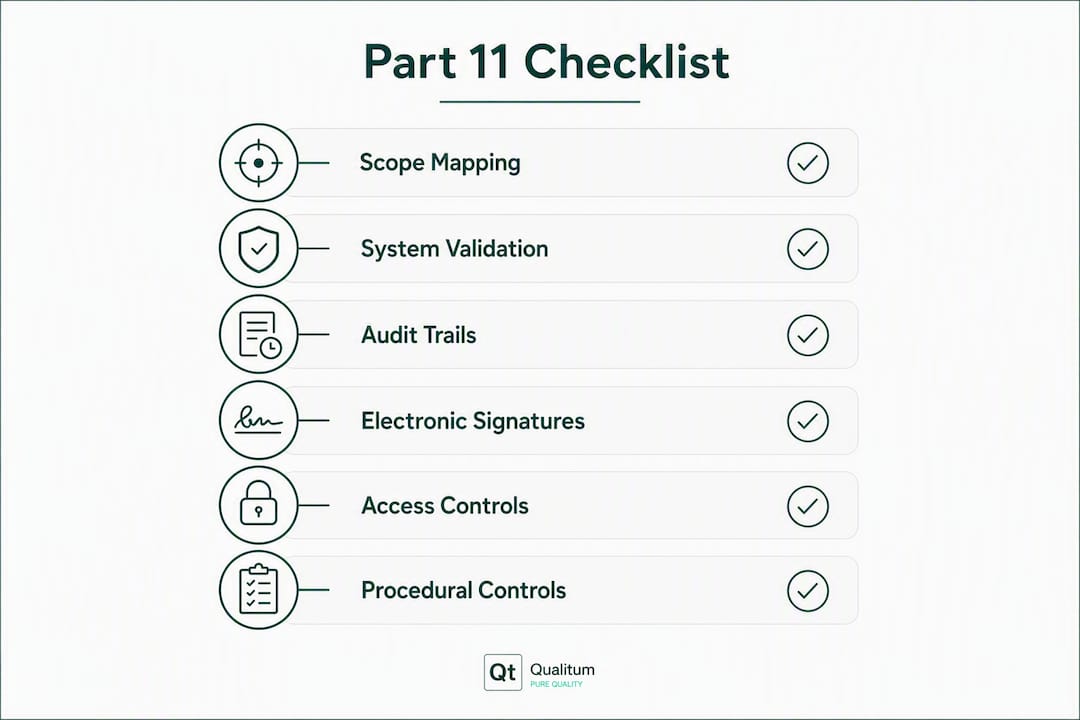
A practical scoping exercise follows this sequence: identify the predicate rule, name the record type it requires, confirm the record is maintained electronically, and then identify which system(s) hold it. A batch record maintained in a paper binder is not in scope; the same batch record entered and signed in an electronic batch record (EBR) system is.
The practical criteria for deciding whether a record or workflow is in scope: Does the FDA require it? Could an inspector request it? Does a retention period apply under a predicate rule? If yes to any of these, the electronic version is in scope.
Closed vs. open systems at the scope level
Part 11 distinguishes between closed systems (§11.10) and open systems (§11.30). A closed system is one where access is controlled by the persons responsible for the content of the electronic records — typically an internally hosted QMS or validated ERP. An open system is one where access is not controlled by those persons, such as a cloud-hosted SaaS platform or a web-based e-signature service. The distinction determines which additional controls apply, covered in detail below.
Core Part 11 requirements: the controls you must have
The regulation organizes its requirements across six key sections. Each maps to a functional control your systems and procedures must satisfy.

| Part 11 Section | Functional Control | What It Requires |
|---|---|---|
| §11.10 | Closed-system controls | Validation, audit trails, access controls, record copies, authority checks |
| §11.30 | Open-system controls | All §11.10 controls plus encryption and additional authenticity measures |
| §11.50 | Signature manifestations | Printed name, date/time, meaning of signature linked to the record |
| §11.100 | Signature uniqueness | Unique to one individual; verified before use; certification to FDA |
| §11.200 | Signature components | At least two distinct ID components for non-biometric signatures |
| §11.300 | Controls for ID codes/passwords | Periodic checks, loss management, device issuance controls |
Validation
Every in-scope system must be validated to demonstrate it consistently performs its intended function. Auditors expect:
- A User Requirements Specification (URS) tracing to business and regulatory needs.
- A Validation Plan that defines scope, risk approach, and testing strategy.
- Test protocols with scripted test cases for high-risk features (audit trail integrity, access control enforcement, signature binding).
- Executed test evidence with pass/fail results, deviations, and resolution records.
- A Validation Summary Report and ongoing change-control procedures.
Audit trails
Audit trails must be secure, computer-generated, and time-stamped. They must record every operator action that creates, modifies, or deletes a regulated record, and they must not obscure previously recorded information. The audit trail must be retained for the same period as the underlying record and must be available for FDA review and copying.
Electronic signatures
Non-biometric electronic signatures must employ at least two distinct identification components (typically a username and password). §11.100 and §11.200 require that signatures are unique to one individual, verified prior to use, and that each signer certifies to the FDA (via a signed declaration) that their electronic signature is the legally binding equivalent of a handwritten signature.
Access controls
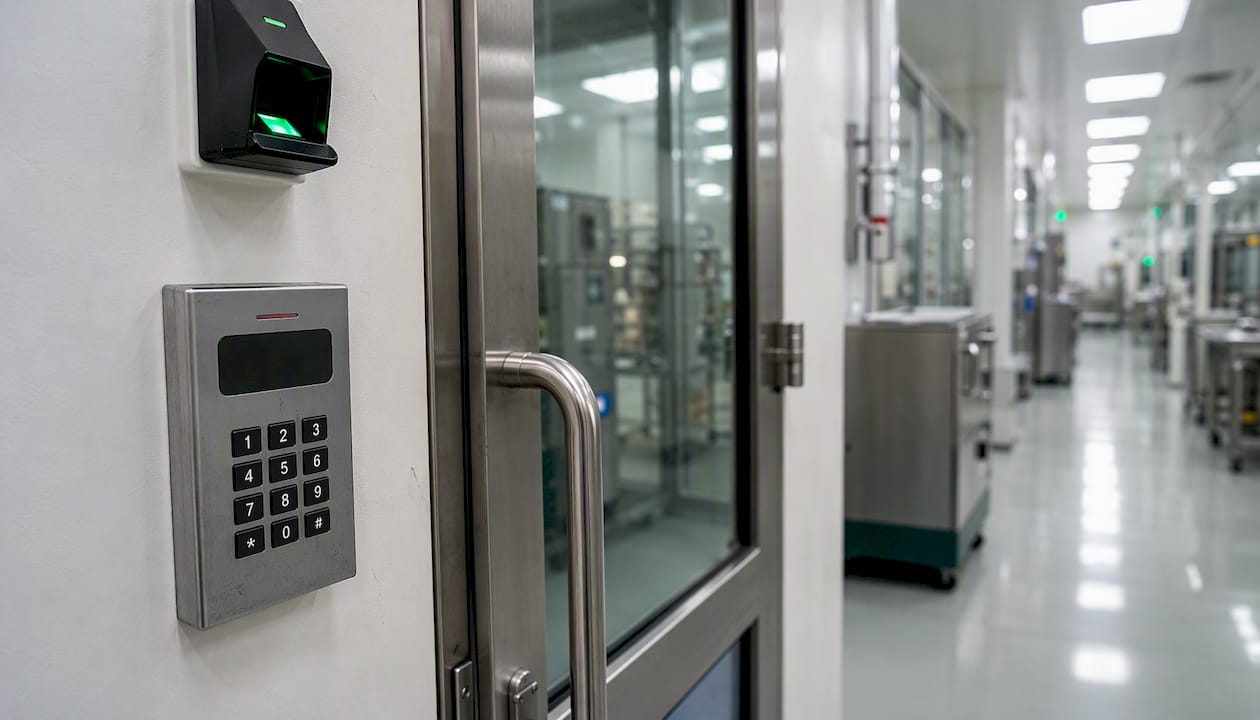
Systems must limit access to authorized individuals. This means role-based access control (RBAC) with documented role definitions, periodic access reviews, and controls that prevent shared credentials. Authority checks must confirm that only authorized users can perform specific functions (e.g., approving a batch record, releasing a product).
Procedural controls
SOPs, training records, and documented policies are not optional supplements — they are enforceable requirements. §11.10(k) explicitly requires written policies that hold individuals accountable for actions taken under their electronic signatures. Training records must demonstrate that every user who signs electronically has been trained on the SOP governing that signature.
Pro Tip: §11.100(c) requires each person using electronic signatures to certify to the FDA that their e-signature is the legally binding equivalent of their handwritten signature. This certification letter must be on file before the individual signs any regulated record electronically — many programs miss this step entirely.
Closed vs. open systems: what changes for SaaS and cloud tools?
The closed/open system distinction has grown more consequential as regulated organizations adopt cloud-hosted platforms, SaaS quality management systems, and web-based e-signature tools.
Closed systems under §11.10
A closed system is one where the regulated company controls access to the records. An internally hosted, validated QMS where IT manages user accounts and network access is the classic example. Under §11.10, the required controls are validation, audit trails, authority checks, operational checks, device checks, and the signature controls described above.
Open systems under §11.30
When records are created, modified, or transmitted over networks the regulated company does not control, §11.30 requires additional protections: encryption of records in transit and at rest, and use of digital signatures or other measures to ensure authenticity, integrity, and confidentiality when records cross trust boundaries. A SaaS e-signature platform or a cloud-hosted electronic batch record system is an open system.
Shared responsibility in SaaS environments
The regulated company cannot delegate its compliance obligations to a vendor. What a vendor owns versus what you own must be documented in a Quality Agreement or Technical Agreement. Typically:
- Vendor owns: Infrastructure security, platform-level audit trail generation, server-side timestamps, backup and disaster recovery, and evidence of their own platform validation.
- Regulated company owns: User access management, SOP and training controls, validation of the configured system (not just the platform), and ensuring that exported records include signature manifestations.
Vendor due-diligence checklist
Before procuring any SaaS tool for a Part 11 scope use case, verify:
- Audit logs are append-only and stored separately from modifiable application data.
- Server-side timestamps are used (not local device clocks).
- Records can be exported with signature manifestations intact and in human-readable form.
- The vendor provides validation documentation (IQ/OQ evidence, change control records) you can incorporate into your own validation package.
- Backup and retention policies align with your predicate-rule retention requirements.
- The contract includes provisions for data portability and access after contract termination.
A SaaS e-signature tool used to sign a batch release record is an open system. A protocol-authoring tool hosted on your validated internal server is a closed system. The controls differ, and your validation package must reflect that distinction explicitly.
Validation and documentation: building defensible CSV/CSA evidence
Validation evidence is where most Part 11 programs are found deficient during inspection. Missing traceability matrices, incomplete test evidence, and SOP gaps are the primary failure modes — not missing technology features.
The validation lifecycle, step by step
- Draft the URS. Capture every regulatory and business requirement the system must meet. Each requirement should be uniquely numbered and traceable forward to a test case.
- Conduct a risk assessment. Classify system functions by their impact on product quality, patient safety, and data integrity. High-risk functions (audit trail write, signature binding, access control enforcement) require scripted, high-assurance testing.
- Write the Validation Plan. Define scope, the CSV or CSA approach, testing environments, roles, and acceptance criteria.
- Execute test protocols. For high-risk functions, use scripted IQ/OQ/PQ protocols with expected results documented before execution. For lower-risk infrastructure, CSA allows lighter methods such as exploratory testing with documented rationale.
- Capture test evidence. Screenshots, system-generated logs, and tester sign-offs must be retained as part of the validation package. Evidence must be contemporaneous — not reconstructed after the fact.
- Resolve deviations. Every test failure must be documented, investigated, and resolved before the system goes live. Open deviations at go-live are a significant inspection finding.
- Issue a Validation Summary Report. Summarize what was tested, what passed, what deviations were found and resolved, and the conclusion that the system is validated for its intended use.
- Establish change control and revalidation triggers. Any change to the system, configuration, or infrastructure that could affect validated functions must go through change control, with an impact assessment determining whether revalidation is required.
Switching to CSA: what changes and what does not
FDA's Computer Software Assurance guidance shifts the focus from volume of documentation to risk-driven assurance. High-risk features still require scripted, reproducible test evidence. Lower-risk features — such as report formatting or user interface layout — can be verified with lighter methods, reducing validation overhead without reducing assurance where it matters.
What CSA does not change: the requirement for a URS, a risk assessment, documented rationale for testing decisions, and a traceable link from requirements to evidence.
Traceability matrix example
| URS Requirement ID | Requirement Description | Test Case ID | Test Result | Evidence Artifact |
|---|---|---|---|---|
| URS | System shall generate an append-only audit trail for all record modifications | — | Pass | — |
| URS | System shall enforce role-based access control | — | Pass | — |
| URS | Electronic signatures shall capture printed name, date/time, and meaning | — | Pass | — |
| URS | System shall prevent modification of audit trail entries | — | Pass | — |
Pro Tip: One of the most common CSV pitfalls is relying on vendor-supplied validation documentation without verifying it covers your specific configuration. A vendor's platform IQ/OQ covers the platform — your validation must cover the configured, deployed instance in your environment, including any custom workflows, integrations, or role definitions you have set up.
Audit trails, record integrity, and signatures: what inspectors actually check
An audit trail is not just a compliance checkbox. Courts increasingly accept detailed audit logs and Certificates of Completion as strong authenticity evidence when supported by custodian declarations, which means your audit-trail architecture has implications beyond FDA inspection.
Required audit-trail fields
| Field | Description | Notes |
|---|---|---|
| Timestamp | Server-side date and time of the action | Must not rely on local device clock |
| User ID | Unique identifier of the user who performed the action | Shared logins invalidate this field |
| Action type | Create, modify, delete, approve, sign | Granular enough to reconstruct the record history |
| Old value | Previous field value before modification | Required for modifications; not applicable for creates |
| New value | New field value after modification | Must be captured at the moment of change |
| Reason for change | User-entered justification | Required for modifications to regulated records |
| Document hash | Cryptographic hash of the record before and after signing | Supports integrity verification |
| Source IP / user agent | Network address and browser/client fingerprint | Strengthens admissibility as authenticity evidence |
Audit-trail storage: the append-only requirement
A critical architectural failure is storing audit logs in modifiable database tables that administrators can access and alter. Part 11 practically requires append-only or WORM (Write Once, Read Many) storage to prevent privileged alteration. Logs must be retained for the same period as the underlying records they document — which for many pharmaceutical records means a minimum of three years post-batch disposition under 21 CFR 211.180, or longer under other predicate rules.
Logs must also be exportable. An inspector who asks to see the audit trail for a specific batch record must be able to receive it in a human-readable format, ideally with a filter by record, user, or date range.
Signature manifestation requirements
Part 11 e-signatures must capture the printed name, date/time (server-side), and meaning of the signature, and must be permanently linked to the record. The signature manifestation must travel with the record when it is printed or exported. A PDF export of a batch record that shows "Approved" without the signer's printed name, timestamp, and signature meaning is not compliant.
For clinical data workflows, managing audit-trail data delivery across CRO and sponsor systems adds another layer of complexity — each handoff point is a potential gap in the chain of custody.
Certificate of Completion
A Certificate of Completion packages the server-side timestamp, source IP, user agent fingerprint, and document hash into a single exportable artifact that accompanies the signed record. This construct materially strengthens both FDA inspection readiness and litigation defensibility under Federal Rules of Evidence 902(13–14).
Step-by-step compliance checklist: your Part 11 project runbook
A Part 11 compliance project has a predictable sequence. Skipping phases or running them in parallel without coordination is the fastest path to an inspection finding.
- Discovery and scoping (weeks 1–4) — Inventory all electronic systems that create, modify, store, or transmit FDA-required records. Assign a predicate rule to each record type. Classify each system as closed or open. Output: a scoped system inventory with predicate-rule mapping.
Roles to assign on day one: a Validation Lead (owns protocols and evidence), a QA Reviewer (approves all validation deliverables), an IT/DevOps Owner (manages infrastructure and audit-trail storage), and a Regulatory Affairs contact (owns predicate-rule mapping and §11.100(c) certification).
Keep all validation artifacts in a single, named evidence repository with a consistent naming convention (e.g., [SystemName]_[Phase]_[DocumentType]_v[Version]_[Date].pdf). An inspector who can navigate your evidence store in under five minutes is an inspector who spends less time asking follow-up questions.
Common misconceptions about Part 11: vendor notes and red flags
Myth 1: Part 11 requires specific technology
Part 11 is technology-agnostic. The regulation requires functional outcomes — a validated system, a protected audit trail, uniquely bound signatures — not specific mechanisms like PKI, blockchain, or biometrics. Any system that satisfies the functional requirements can meet Part 11. Teams that spend months debating PKI architecture while neglecting their traceability matrices have their priorities inverted.
Myth 2: A vendor's compliance certificate makes you compliant
No vendor can make you Part 11 compliant. A vendor can provide a platform that is capable of supporting compliance. Your organization must validate the configured system, maintain the SOPs, train the users, and manage access controls. A vendor's ISO 27001 certificate or SOC 2 report is useful due-diligence evidence, but it is not a substitute for your own validation package.
Myth 3: Local device timestamps are sufficient
They are not. Part 11 requires server-side timestamps that cannot be manipulated by the user. A timestamp generated by the user's local device clock can be altered by changing the system clock — which is precisely the kind of tampering the regulation is designed to prevent.
Myth 4: Shared logins are acceptable if users are trained
Shared credentials invalidate the uniqueness requirement of §11.100. If two people share a login, neither signature is uniquely attributable to an individual. This is a per se violation, regardless of training or intent.
On DocuSign and similar e-signature platforms
DocuSign is a commonly asked example. It is a commercial e-signature platform that can be configured to support Part 11 requirements — but whether it does in your specific deployment depends entirely on how it is configured, validated, and integrated into your workflows. Questions to ask any e-signature vendor during procurement:
- Where are audit logs stored, and are they append-only?
- Does the platform generate server-side timestamps?
- Can we export a signed record with the full signature manifestation (printed name, date/time, meaning) in a human-readable format?
- What validation documentation do you provide (IQ/OQ evidence, change control records)?
- How are user identities verified prior to signature enrollment?
- What happens to our records and audit logs if we terminate the contract?
A vendor that cannot answer these questions with documented evidence is a vendor that will create inspection risk for your program.
Preparing for FDA inspection: evidence and demonstrations
FDA investigators reviewing Part 11 compliance typically follow a predictable pattern. They will request documentation, then ask for a live demonstration, then probe for gaps between what the documentation says and what the system actually does.
Inspection artifact checklist
- Validation packages for each in-scope system (URS, risk assessment, Validation Plan, test protocols, executed evidence, Validation Summary Report).
- Traceability matrices linking URS requirements to test cases to evidence artifacts.
- SOPs governing electronic record creation, modification, signature, audit-trail review, and access management.
- Training records for all users who create or sign regulated records electronically.
- §11.100(c) certification letters for all electronic signature users.
- Audit-trail exports for records under review, filterable by user, date, and record.
- Access control configuration documentation (role definitions, current user-role assignments, access review records).
- Change control records for any system changes since the last validation.
- Quality Agreements with SaaS or cloud vendors.
What inspectors check in a live demonstration
Investigators typically ask to see three things in a live system demo:
- Audit trail for a specific record. They will name a record and ask you to show every action taken on it, by whom, and when. The audit trail must display old and new values for modifications, with reasons for change.
- Export of a signed record with signature manifestation. They will ask you to export a signed record and confirm that the printed name, date/time, and meaning of signature appear on the export.
- Access control enforcement. They will ask you to demonstrate that a user without approval authority cannot approve a record, and that the system enforces this at the application level, not just by policy.
Mock inspection demo script (10–15 minutes)
Run this walkthrough with your cross-functional team quarterly:
- Step 1 (2 min): Open the validation evidence repository. Show the index of validation packages and locate the package for the system under review.
- Step 2 (3 min): Open the traceability matrix. Trace one URS requirement to its test case and then to the executed evidence artifact.
- Step 3 (3 min): Navigate to a specific regulated record in the live system. Open the audit trail. Filter by the record and show the full action history.
- Step 4 (3 min): Export the signed record as a PDF. Confirm the signature manifestation (printed name, date/time, meaning) appears on the export.
- Step 5 (2 min): Log in as a user without approval authority. Attempt to approve a record. Confirm the system blocks the action and logs the attempt.
- Step 6 (2 min): Show the §11.100(c) certification letter for one signer and the corresponding training record.
For reducing protocol deviations in clinical trials, the same discipline applies: documented SOPs, trained users, and a system that enforces the process rather than relying on individual memory.
Keep SOPs version-controlled in a document management system that is itself Part 11 compliant. An inspector who finds a printed SOP on a desk that does not match the current approved version in the system has found a procedural gap that will appear in the Form 483.
Key Takeaways
Part 11 compliance is a functional and procedural discipline: validated systems, append-only audit trails, uniquely bound e-signatures, and documented procedural controls are the four pillars every regulated electronic system must satisfy.
| Point | Details |
|---|---|
| Scope mapping is the first step | Identify every predicate-rule record maintained electronically and map it to the system that holds it before any remediation begins. |
| Audit-trail architecture is non-negotiable | Logs must be append-only, server-timestamped, and stored separately from modifiable application tables to prevent privileged alteration. |
| CSA reduces validation overhead without lowering assurance | Apply risk-tiered testing: scripted protocols for high-risk features, lighter methods for low-risk infrastructure, with documented rationale for every decision. |
| SOPs and training are enforceable requirements | §11.10(k) and §11.100(c) require written policies, training records, and signed certification letters before any user signs electronically. |
| Qualitum centralizes validation evidence | Qualitum's automated platform enforces ALCOA+ at write-time, generates agent-authored traceability matrices, and integrates with QMS to keep validation packages inspection-ready. |
The evidence gap is where programs actually fail
Most Part 11 programs do not fail because the technology is wrong. They fail because the evidence is thin.
The pattern repeats across inspection findings: a system that technically generates an audit trail, but the logs are stored in a database table that a DBA can edit. A validation package that exists, but the traceability matrix was never completed. SOPs that were written once and never updated when the system changed. Users who signed records electronically before their §11.100(c) certification letters were collected.
These are not technology failures. They are program management failures, and they are entirely preventable with the right discipline.
The quick wins that lower inspection risk while a full validation program runs: move audit logs to append-only storage immediately, even before the full validation package is complete. Collect §11.100(c) certification letters from every current electronic signer this week. Conduct a one-day access review to identify and remove shared credentials and orphaned accounts. Run the mock inspection demo script above with your team before the next scheduled audit.
The harder work is building a single, organized evidence repository where every validation artifact has a consistent name, a version, and a clear owner. Inspectors are not looking for perfection. They are looking for evidence that your organization understands what it validated, why, and what the current state of the system is. A team that can answer those questions in real time, with documents in hand, is a team that passes inspections.
Qualitum accelerates your path to inspection readiness
Validation authoring is the quiet tax on every compliance team's calendar. Writing URS documents, drafting test protocols, building traceability matrices, and keeping them synchronized across system changes consumes weeks of skilled time that could go toward higher-value quality work.

Qualitum's automated validation platform addresses this directly. Its multi-agent system authors URS, risk assessments, IQ/OQ/PQ protocols, and traceability matrices from system inputs, with every record ALCOA+ checked at write-time and review-time. Audit-trail protection is built into the architecture, not bolted on. Traceability matrices update automatically as requirements and test evidence evolve, so the package you show an inspector reflects the current validated state of the system, not a snapshot from six months ago.
For teams managing multiple in-scope systems across pharma, biotech, or medical device operations, Qualitum integrates with existing QMS platforms to centralize validation artifacts in a single, inspection-ready evidence store. Organizations using the platform report significant time savings in validation authoring, with faster CSV cycles that do not sacrifice the rigor high-risk features require.
If your next audit is closer than your next completed validation package, request a pilot with Qualitum to see how the platform fits your current system inventory and evidence gaps.
Primary sources and further reading
The sources below are the authoritative starting points for any Part 11 compliance program. Official regulatory text takes precedence over any secondary guide.
- 21 CFR Part 11 — Electronic Records; Electronic Signatures (eCFR): The binding regulatory text. Read §11.10, §11.30, §11.50, §11.100, §11.200, and §11.300 in full before designing any compliance program.
- 21 CFR Part 11 — Full Text (GovInfo, 2024 edition): The official PDF of the regulation as published in the Code of Federal Regulations, useful for citation in validation documents.
- FDA Guidance — Part 11, Electronic Records; Electronic Signatures: Scope and Application: FDA's own guidance document explaining how the agency interprets and enforces Part 11, including the predicate-rule framework and the agency's current enforcement priorities.
- FDA Docket FDA-2003-D-0143 (Regulations.gov): The public docket for the Part 11 scope and application guidance, including public comments and FDA responses that clarify enforcement intent.
- Building 21 CFR Part 11-Compliant Software: Engineer's Playbook — Verticomply: A practitioner-level engineering guide covering validation architecture, CSA adoption, and audit-trail implementation.
- 21 CFR Part 11 Compliance Guide — Avenio: A compliance-focused guide covering scope, signature requirements, and common program gaps.
- Audit Trail for Electronic Signatures — Formfy: Technical detail on audit-trail fields, Certificate of Completion construction, and evidentiary admissibility.
FAQ
What does it mean to be Part 11 compliant?
Being Part 11 compliant means your electronic records and signatures meet all functional controls required by 21 CFR Part 11: the system is validated, audit trails are tamper-evident and server-timestamped, electronic signatures are uniquely bound to individuals, and access controls and procedural controls (SOPs, training, certification letters) are documented and enforced.
What is the 21 CFR Part 11 compliance checklist?
The core checklist covers eight areas: predicate-rule scoping, system validation (URS through Validation Summary Report), append-only audit trails with required fields, role-based access controls with no shared credentials, electronic signature components and §11.100(c) certification letters, SOPs and training records, closed vs. open system classification with appropriate additional controls, and an organized inspection-ready evidence repository.
Why is the regulation called 21 CFR Part 11?
The name reflects its location in the Code of Federal Regulations: Title 21 (Food and Drugs), Chapter I (FDA), Subchapter A (General), Part 11. FDA established Part 11 to set conditions under which electronic records and signatures are trustworthy and equivalent to paper records and handwritten signatures.
Is DocuSign Part 11 compliant?
DocuSign can be configured to support Part 11 requirements, but compliance depends on your specific deployment, configuration, and validation. You must verify that your DocuSign instance generates server-side timestamps, stores audit logs in append-only storage, produces exportable signature manifestations with printed name and meaning, and that your organization has validated the configured system and maintains the required SOPs and training records.
Can Qualitum help with Part 11 validation evidence?
Yes. Qualitum's automated validation platform generates agent-authored URS, risk assessments, IQ/OQ/PQ protocols, and traceability matrices with ALCOA+ enforcement at write-time, centralizing validation artifacts in an inspection-ready evidence store that integrates with existing QMS platforms.
This article provides general regulatory information for educational purposes and does not constitute legal or regulatory advice. Confirm current requirements with the FDA's official guidance documents or a qualified regulatory professional before making compliance decisions.
Recommended
FAQ
What does it mean to be Part 11 compliant?
Being Part 11 compliant means your electronic records and signatures meet all functional controls required by 21 CFR Part 11: the system is validated, audit trails are tamper-evident and server-timestamped, electronic signatures are uniquely bound to individuals, and access controls and procedural controls (SOPs, training, certification letters) are documented and enforced.
What is the 21 CFR Part 11 compliance checklist?
The core checklist covers eight areas: predicate-rule scoping, system validation (URS through Validation Summary Report), append-only audit trails with required fields, role-based access controls with no shared credentials, electronic signature components and §11.100(c) certification letters, SOPs and training records, closed vs. open system classification with appropriate additional controls, and an organized inspection-ready evidence repository.
Why is the regulation called 21 CFR Part 11?
The name reflects its location in the Code of Federal Regulations: Title 21 (Food and Drugs), Chapter I (FDA), Subchapter A (General), Part 11. FDA established Part 11 to set conditions under which electronic records and signatures are trustworthy and equivalent to paper records and handwritten signatures.
Is DocuSign Part 11 compliant?
DocuSign can be configured to support Part 11 requirements, but compliance depends on your specific deployment, configuration, and validation. You must verify that your DocuSign instance generates server-side timestamps, stores audit logs in append-only storage, produces exportable signature manifestations with printed name and meaning, and that your organization has validated the configured system and maintains the required SOPs and training records.
Can Qualitum help with Part 11 validation evidence?
Yes. Qualitum's automated validation platform generates agent-authored URS, risk assessments, IQ/OQ/PQ protocols, and traceability matrices with ALCOA+ enforcement at write-time, centralizing validation artifacts in an inspection-ready evidence store that integrates with existing QMS platforms. * This article provides general regulatory information for educational purposes and does not constitute legal or regulatory advice. Confirm current requirements with the FDA's official guidance documents or a qualified regulatory professional before making compliance decisions.